Home - Everything Else - 6 Most Common Passport Application Mistakes
6 most common passport application mistakes

6 most common passport application mistakes

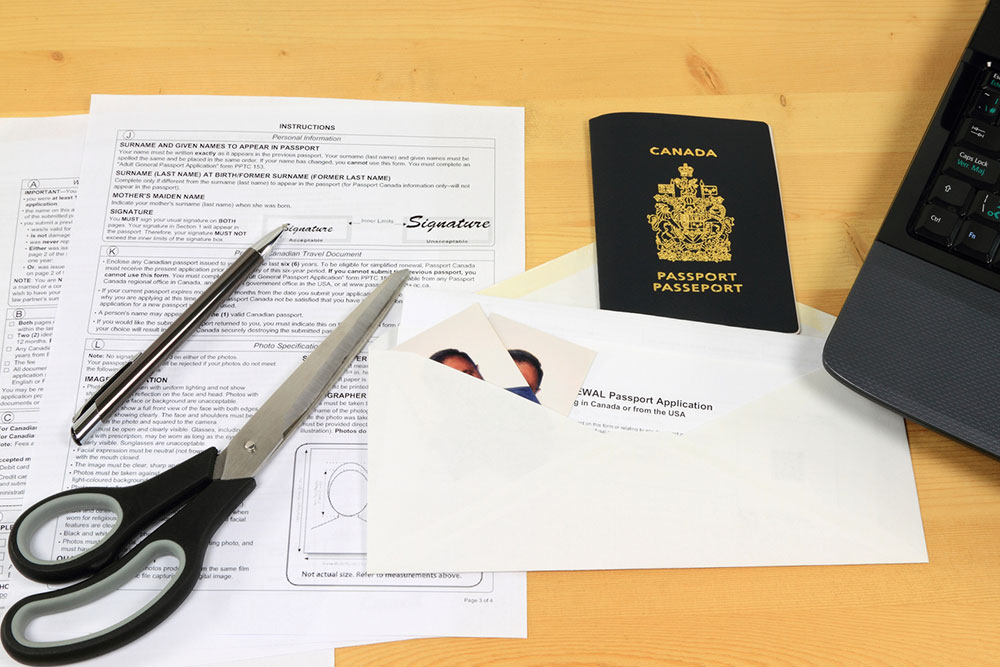
Applying for a passport has become very easy today. The process would take days or even weeks some decades ago, but now, thanks to digitization, one can get through with just a few clicks. That said, many people make errors during the application process, which leads to unnecessary delays and extra hassle. Below are a few critical mistakes one should avoid when applying for a passport or renewing the document.

Not paying attention to the current passport’s expiry date
Arguably, the most common mistake people make is being unaware of the number of years or months left on their current passports. Many check the document’s expiry date only after booking an international holiday and heading to their destination. Doing so can cause significant issues as many countries require inbound travelers to have at least three months or so left on their passports from their date of arrival. Therefore, passport holders must check their passport before planning their holidays. Experts recommend renewing one’s passport at least a year before it expires. This practice ensures individuals do not face hassle when boarding their flight or arriving at their destination.

Making typos and misspellings in the application form
People often fill out the application form hastily when applying for a passport, which leads to multiple typos and misspellings. For instance, many enter the wrong date of birth on the form (say, 1090 instead of 1990 in the year column). Unlike what it appears, this is not a minor issue. Typos and misspellings can cause the authorities to suspend one’s application or keep it on hold until the problem is rectified. Passport application forms are commonly available offline, and individuals have sufficient time to enter the details. Applicants must read the instructions carefully and avoid making mistakes that can delay the process or jeopardize their international plans.

Ignoring the guidelines when applying for a passport for a minor
Individuals must follow a unique set of guidelines when applying for a passport for a minor. For instance, during the application process, the child must be accompanied by their parents and no substitute (such as nannies or guardians). Parents must also fill out the DS-11 form while submitting their child’s application. Furthermore, parents must carry the necessary legal documents that prove their relationship with their child. A certified long-form birth certificate tends to be helpful in this regard. Parents also need to submit photo identification documents of themselves and their children.

After assessing the documents and proofs, the verification authorities may also ask for written authorization from both parents to issue their child’s passport. Unlike an adult’s passport, a child’s passport is valid for five years only. So, parents must be mindful of the expiry dates and apply for renewal accordingly.

Making signature errors on the application form
Many people create counterfeit passports to carry out illegal activities. To counter the threat of counterfeit passports, authorities often thoroughly analyze passport application documents to see if forged signatures exist. Therefore, one must be extremely careful while signing the forms. Individuals can take simple precautions, such as using a red, black, or blue pen while signing. Pens of other colors usually tend to get rejected by passport authorities. Besides using the correct ink, one must ensure to sign their real name, not their nickname, on an application form. Passport authorities tend to reject the application forms in which people sign their nicknames or aliases.

A person’s signature on a passport application form should mirror the signature on the government identification documents they provide for verification. It should also match the signature on their prior passport in case of renewal. The passport applications can be rejected if the signatures do not match these documents. If candidates have changed their signature style, they must still provide their original signature. Matching signatures assure the authorities that the same person’s information is on all the documents.

Not seeking professional help for the application process
Many professional agencies help people with their passport applications. They assist with tasks like filling out forms accurately, ensuring the signatures are done correctly, getting the picture-related aspects of the passport application form right, and several other minor tasks along the way. Unfortunately, a lot of people do not trust third-party service providers when it comes to passport applications. By doing so, they make themselves vulnerable to application mistakes. They also risk being rejected by the passport authorities that verify vital candidate information and documents.

Using photocopies of supporting documents
When applying for a passport, individuals must submit original copies of their address proofs and identification documents. Many tend to take photocopies of these important documents and then submit them along with their photographs and passport application forms. Such applicants not only delay the overall process but also risk getting rejected by the authorities. One must gather all their original documents in a file before presenting them to the passport authorities, along with their application forms for verification. Doing so generally works well, and the application form gets approved.

Besides the above, some other critical common mistakes include using correction fluid to fix errors on the form and writing outside the boxes.


Latest Articles

5 smart ways of using tablet computers
Tablets

5 smart ways of using tablet computers

You see tablet computers everywhere. More and more people are now moving toward tablets in offices, coffee shops, homes, and even schools. This is because they offer more power and uses than a smartphone and better portability than a desktop or even a laptop. Tablets have many more uses than simply checking your emails or browsing social media. Here are some interesting ways to find more uses for your tablet computer: Second screen Some people like to work on two screens at a time due to the demand of their work. This also enhances productivity and cuts down on time. It is easy to mirror your Android to another Android or even a computer. To use your tablet as an extended display, you need to install an application on your computer and connect the tablet to it using a USB cable or Wi-Fi. Some of the best app options to do this include Spacedesk, Google Remote Desktop, iDisplay, Duet Display, etc. As a remote to control electronics Tablet computers can be easily used to control your electronics. A tablet is larger than a remote and much easier to find and operate with better features. You can control your PC and television with it. It can also dim your home lights, open your garage door, and operate your smart fridge and washing machine. For instance, if you have a Sony Smart TV, you can use the TV Sideview application for your Apple and Android systems. E-Reader If you are an avid reader and have an old tablet, you don’t need to purchase a new e-reader. Your tablet can easily be used as an e-reader to browse your favorite books, magazines, comic strips, and even news applications. Since tablet screens have more glare, we suggest getting an anti-glare film on the screen.
Ignore these 8 foods when diagnosed with hyperkalemia
health

Ignore these 8 foods when diagnosed with hyperkalemia

Potassium is an essential nutrient that allows your body to function optimally. A meal plan rich in potassium allows proper nerve function and regulates your heartbeat. However, certain conditions such as kidney diseases and consuming food rich in potassium excessively may increase its levels in your bloodstream leading to a condition known as hyperkalemia . Let’s look at foods you should limit to keep your potassium within normal levels. Bananas The first food that comes to mind when people think of potassium sources is bananas. One medium-sized banana contains almost 422 mg of potassium. Though it would take a lot of bananas to cause an overdose of potassium, if you are also eating other foods rich in potassium, it will lead to excessive potassium levels in your blood, which in turn, will trigger hyperkalemia . Tomato Sauce and Paste Raw tomatoes contain a decent amount of potassium. One medium tomato has about 292 mg of potassium. Concentrated forms of tomatoes, such as sauces, salsa, paste, puree, etc., contain even higher amounts of potassium. For instance, a small cup of tomato sauce contains almost 728 mg potassium. So, it is advised to skip tomato sauce and opt for alternatives such as basil or roasted red peppers. Milk If you have been advised a low potassium meal plan, you must avoid milk or at least its consumption needs to be reduced. A cup of whole milk contains around 350 mg of potassium. The lower the amount of fat in milk, the higher the potassium content. While you may have a small serving of milk daily, it should not exceed 300 ml. It means avoiding milk and dairy products such as buttermilk, yogurt, milk-based sweets, ice creams, and other desserts. Oranges and Orange Juice Oranges have a very high potassium content and are best avoided if diagnosed with hyperkalemia .
7 mistakes to avoid when buying a new computer
Tech

7 mistakes to avoid when buying a new computer

With all the options of computer brands available in the market today, you might think it is effortless to pick up one. However, with so many choices, it can get tricky as buying a computer is a hefty, long-term investment. That’s why you should be aware of some common buying mistakes people would make while purchasing this device. And so, here are a few things to avoid before you invest in a computer : Buying without knowing your needs Never buy a computer just because everyone is buying it or there’s a lot of hype around it. While you may want to prioritize aesthetics and popularity, you need to identify your need for a computer and its software . Make a list of all the features that you would need and get the computer configured accordingly. Unfamiliar with different software programs Not knowing the right software may cost you heavily. Purchasing expensive software with a long list of features may not be the best thing to do if half of these features don’t even apply to your work. Next, know how to install and use the software. You also need to know if the software is protected against bugs with an antivirus program and consider the after-sale service of the software. Not considering different operating systems There are four primary operating systems you should know – Microsoft, Apple, Google, and Linux. While technology has made it easier to switch between these operating systems, you may often find one or more applications not working on alternative systems. So, if you have an expensive software installed, check with your developer if it will be compatible with the OS you plan to get. Not accounting for other computer costs A common mistake made by many while purchasing a computer is not accounting for other costs that are part of the bundle.